On cryptocurrency trading platforms, account security is essential. Unauthorized access can result in asset loss. LBank uses Google Authenticator as a two-factor authentication (2FA) tool, providing a robust layer of protection for your logins and trades. It generates real-time verification codes via a mobile app, offering far superior security to passwords alone. This guide explains how to easily set up Google Authenticator on web and app platforms, ideal for beginners and experienced users. Follow these steps now to lock down your account!
How-to Steps
Web
Log In & Navigate to「Security」
-
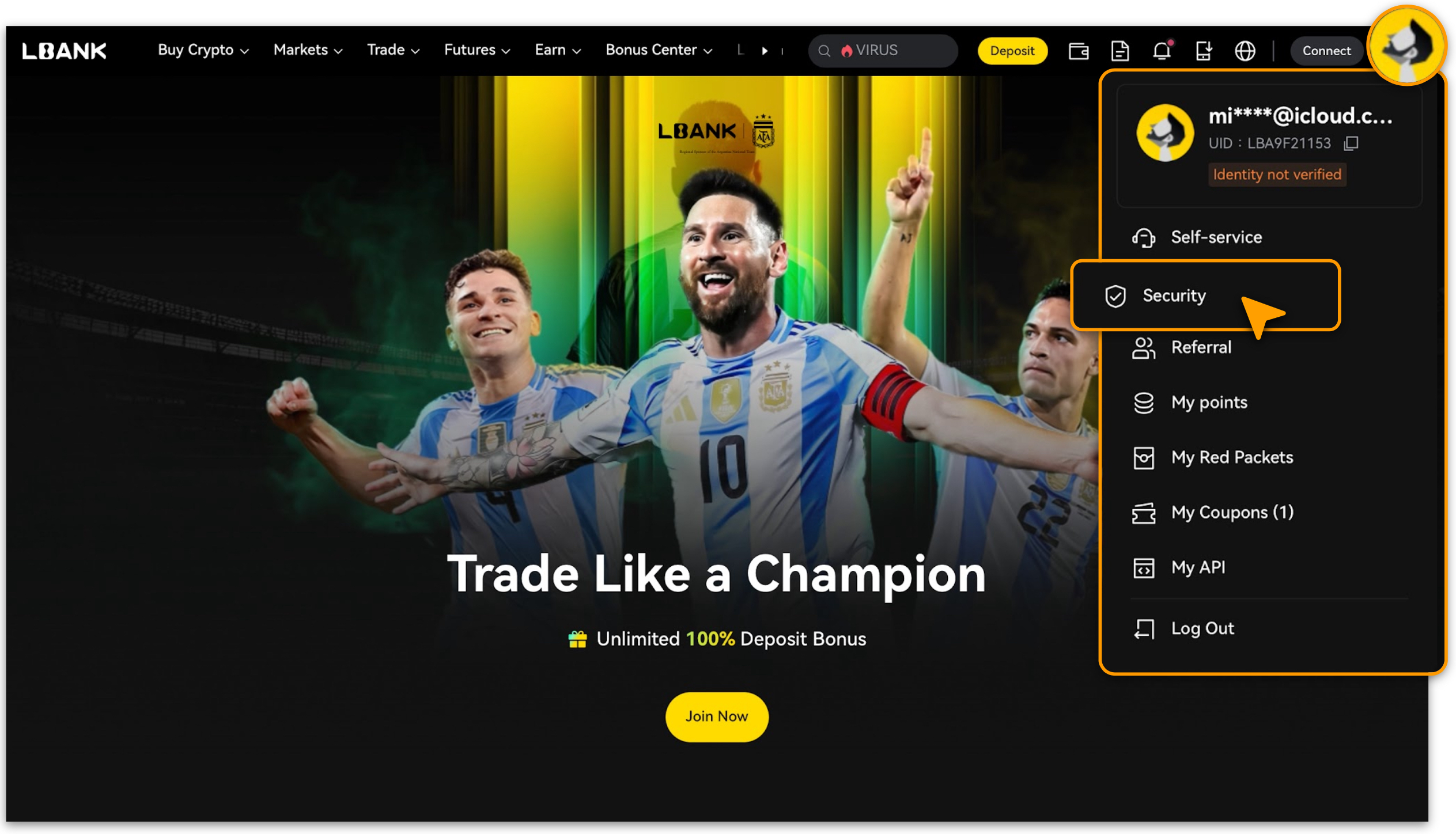
Visit LBank official website and log in to your account;
-
After logging in, tap the profile icon in the upper right corner, then select「Security」.
-
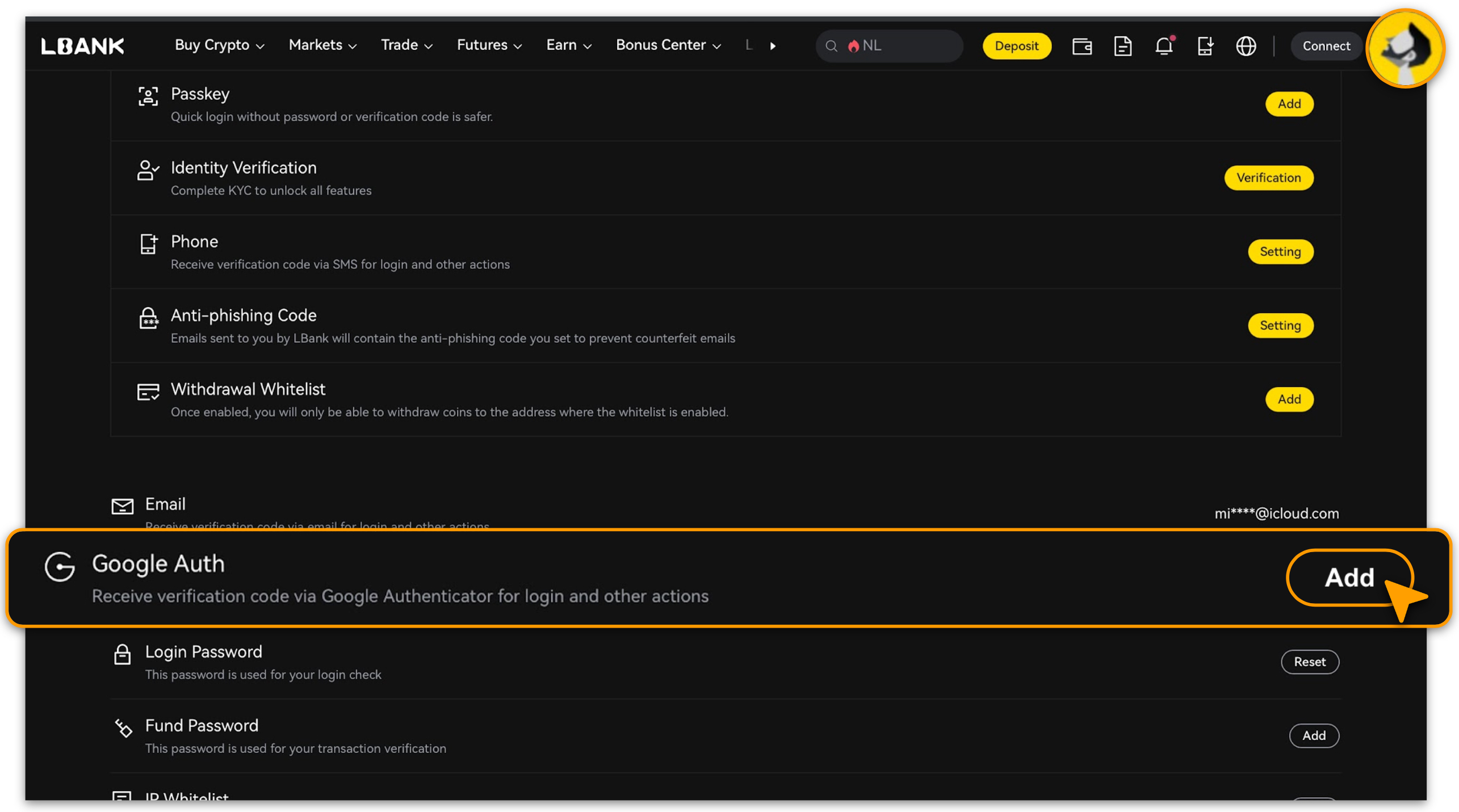
Locate the「Google Authenticator」option and tap「Add」.
Follow Prompts to Complete Setup
-
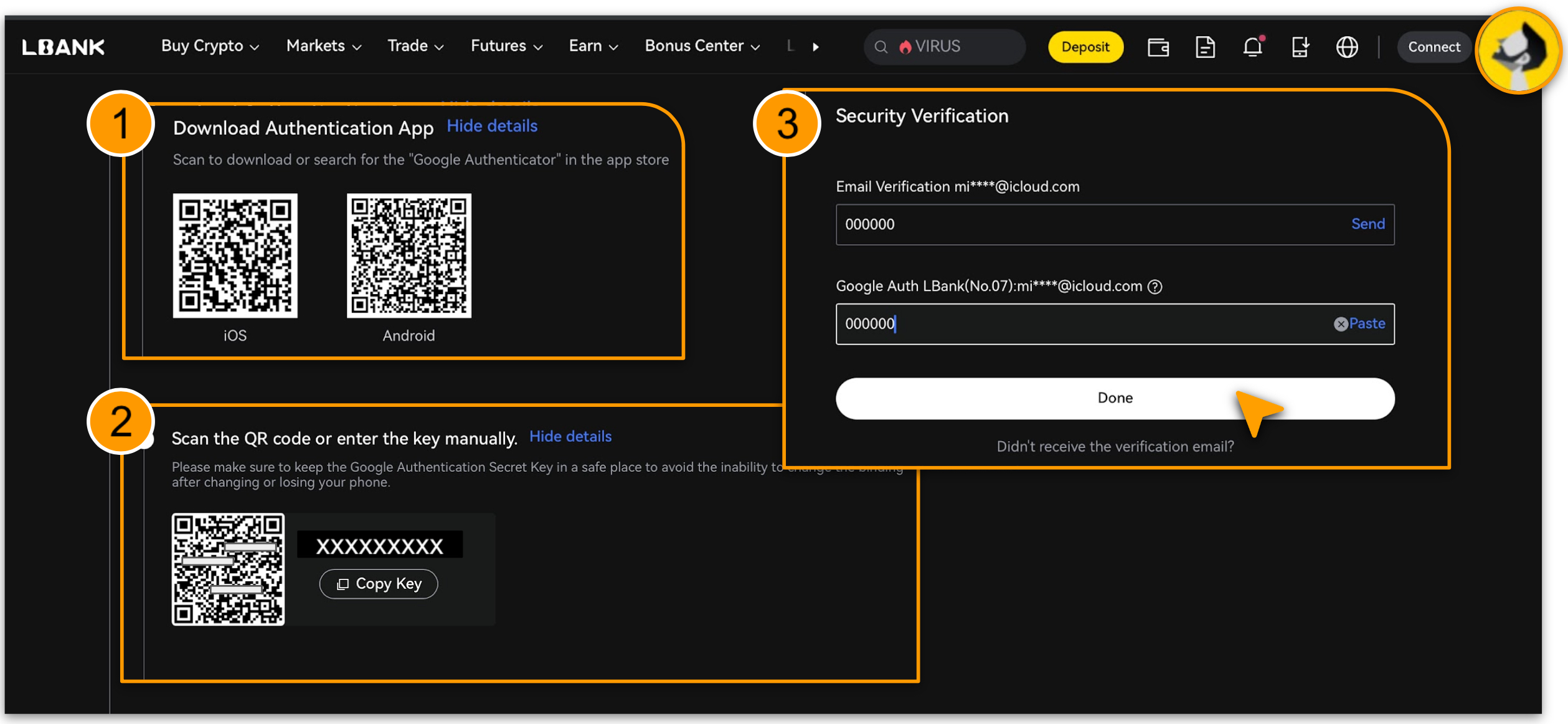
Download the Google Authenticator app on your phone as instructed, then tap 「Next」;
-
Scan the QR code with the app or manually enter the key, then tap「Next」;
-
Verify your email address and tap「Send」to receive the code;
-
Retrieve the corresponding code from the Google Authenticator, enter it in the field, confirm accuracy, and tap「Complete」.
App
Log In and Navigate to「Security」
-
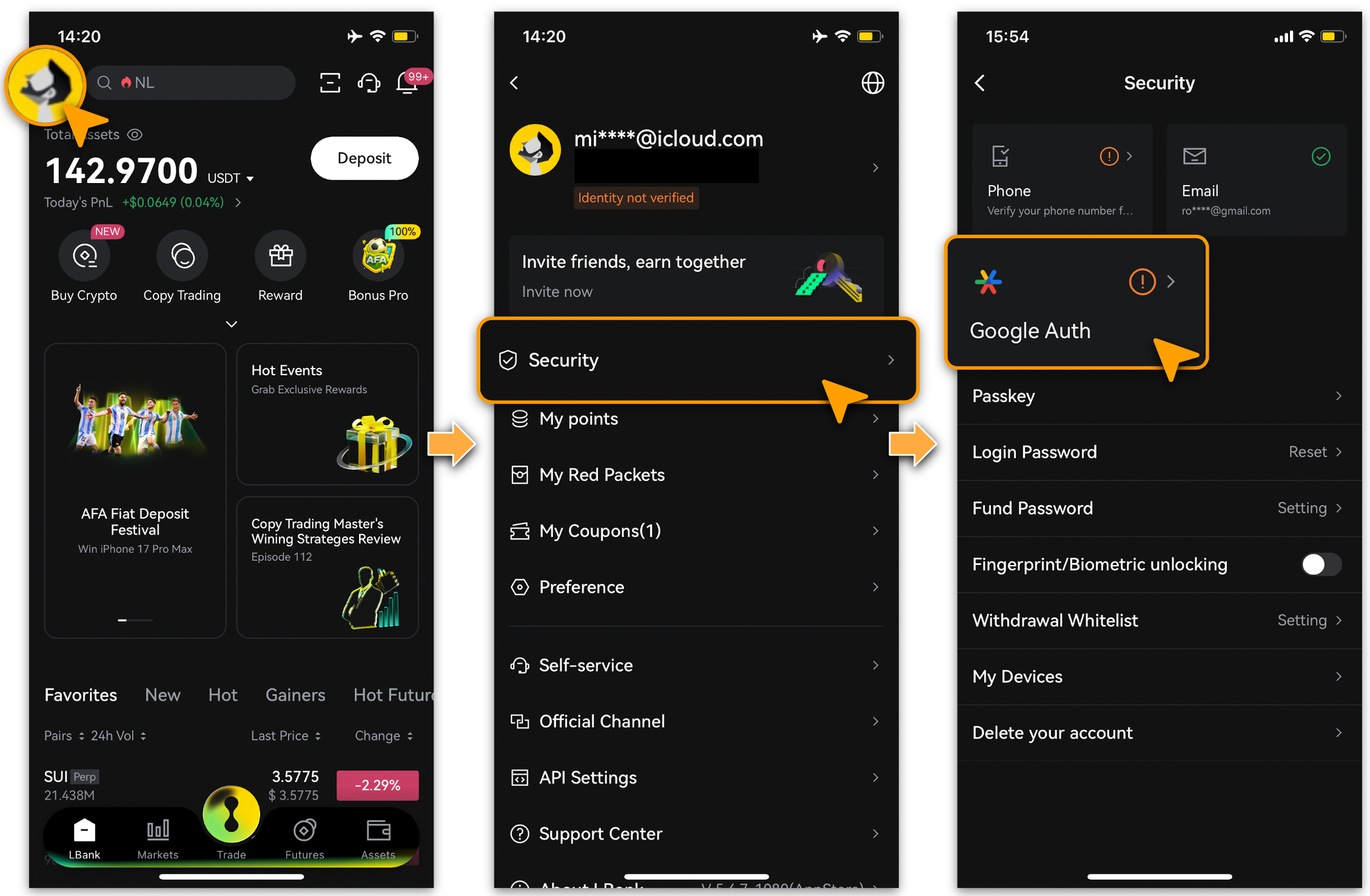
Open the LBank app and log in. Tap into「Personal Center > Security」as shown;
-
Tap「Google Auth」.
Follow Prompts to Complete Setup
-
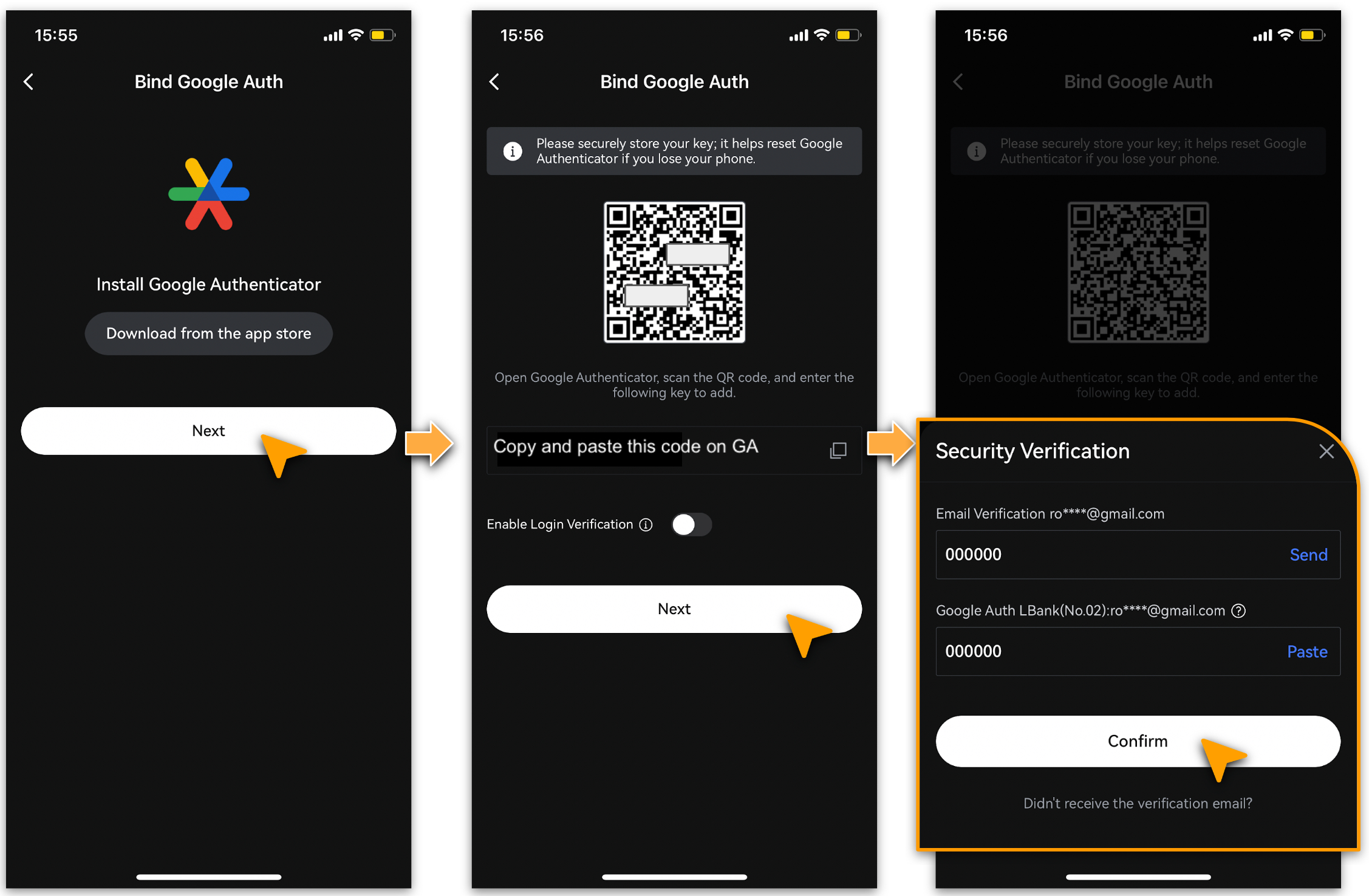
Tap「Next」;
-
Scan the QR code or copy the generated setup key. Open Google Authenticator, add it by entering the key or scanning the code, then tap「Next」;
-
Complete the「Email Verification」and「Google Authenticator」steps as prompted.
-
Once details are entered, tap「Confirm」to finish binding.
📌If Google Authenticator isn’t installed, tap「Download from App Store」and install it first.
Important Notes
-
If you don’t receive the email code, tap「Didn’t receive email verification code?」to resend.
-
If your device is lost, reinstall Google Authenticator on a new one. The setup key is vital for recovery—store it securely.